
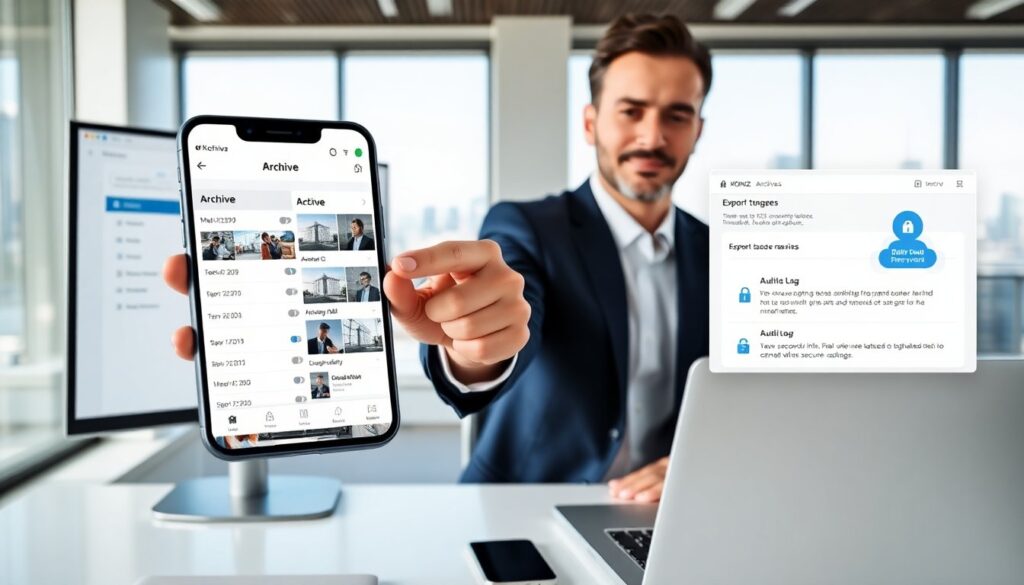

kogniz mobile app archives store event data, video snippets, and metadata on a device. The app keeps records for review, audit, and compliance. The guide explains what the archive is, how a user accesses records, and how an admin secures and manages stored files. The tone stays clear and factual. The guide uses simple steps and direct language.
Key Takeaways
- The Kogniz mobile app archive securely stores event data, video snippets, and metadata on mobile devices with local encryption and server-managed keys to protect files at rest.
- Users can easily access, search, filter, and export archived records using intuitive tools within the app, supporting fast text search and flexible export options with encryption.
- Retention policies set by admins automate file deletion and compression, ensuring compliance and optimized storage management within the kogniz mobile app archive.
- Role-based access control and detailed audit trails help organizations enforce security, monitor usage, and maintain chain of custody for all archived data.
- Best practices include using end-to-end encryption, maintaining secondary cloud backups with strict access controls, and conducting regular user training and storage monitoring to protect and manage archives effectively.
What The Kogniz Mobile App Archive Is And How It Works
The Kogniz mobile app archive stores records on a mobile device. It saves event logs, short video clips, sensor data, and timestamps. The archive runs inside the app and it keeps files in a space the app controls. The archive indexes each record by time, camera ID, and event type. The archive adds metadata fields to speed search and filtering. The archive uses local encryption to protect files at rest. The app encrypts files with keys the server manages or with device keys depending on policy.
The archive follows retention rules set by an admin. It deletes files automatically when rules expire. It compresses older files to reduce storage use. It moves critical records to cloud storage when configured. The archive tracks chain of custody metadata for each transfer. The archive marks files as exported, reviewed, or flagged to show status. The archive notifies the user when storage is low or when retention will remove files soon.
The Kogniz mobile app archive supports audit trails. It logs who accessed each record and when. It logs export actions and deletion actions. It timestamps every change to maintain an evidentiary record. It also supports on-device redaction for faces or sensitive text before export. The archive so helps teams meet audit and compliance needs while keeping primary copies local until export.
How To Access, Search, And Export Archived Records On Mobile
A user opens the Kogniz mobile app and taps the Archive tab. The app shows a chronological list and a search bar. The user enters a date range, camera ID, or event type. The app filters results and displays thumbnails. The user taps a thumbnail to play the clip or view the log.
The app supports fast text search across metadata. The user types a keyword and the app highlights matching records. The app also supports filter chips such as “motion,” “alarm,” or “manual capture.” The user can combine filters to narrow results. The app previews clips without downloading the full file. The user can mark records as important and add notes.
The user selects records and taps Export to send files. The app offers export to cloud, secure email, or local download when allowed. The app encrypts exports during transfer and it records the export action in the audit log. The user chooses export quality and whether to include redaction. The app shows estimated transfer size and time. The user can pause and resume large exports.
IT and compliance teams can enable role-based access on the mobile app. Admins assign read or export permissions. The app hides export options from users who lack permission. The mobile export respects retention policies and it blocks exports that violate rules. The app supports digital signatures for exported packages so recipients can verify integrity.
Best Practices For Managing, Retaining, And Securing App Archives
An organization defines a clear retention policy and applies it in the app. The policy sets retention length by record type. The admin enforces shorter retention for low-value clips and longer retention for incidents. The app applies the policy automatically and it notifies admins about upcoming deletions.
An organization uses role-based access controls. The admin assigns the least privilege needed. The admin audits user roles monthly and it revokes unused accounts. The app logs each access and export. The admin reviews audit logs for unusual activity and it flags anomalies.
An organization enables end-to-end encryption. The app encrypts files at rest and in transit. The admin manages keys centrally and rotates keys on schedule. The team uses secure export channels only. The app supports encrypted packages with checksums so the recipient can verify integrity.
An organization keeps a secondary copy in cloud storage for critical incidents. The app uploads flagged records to a protected cloud bucket. The cloud copy maintains the same metadata and audit log entries. The organization restricts cloud access with IAM controls and multi-factor authentication.
An organization trains mobile users on archive hygiene. The training covers how to search, how to export, and how to mark records. The training covers how to avoid sharing credentials and how to use device locks. The organization runs quarterly drills to validate process and policy.
An organization monitors storage and it plans capacity. The admin sets alerts for low storage and for export failures. The team reviews storage trends monthly and it adjusts retention or offload rules to prevent data loss.
Following these steps helps teams manage the Kogniz mobile app archive. They protect evidence, meet compliance goals, and keep mobile storage under control.