
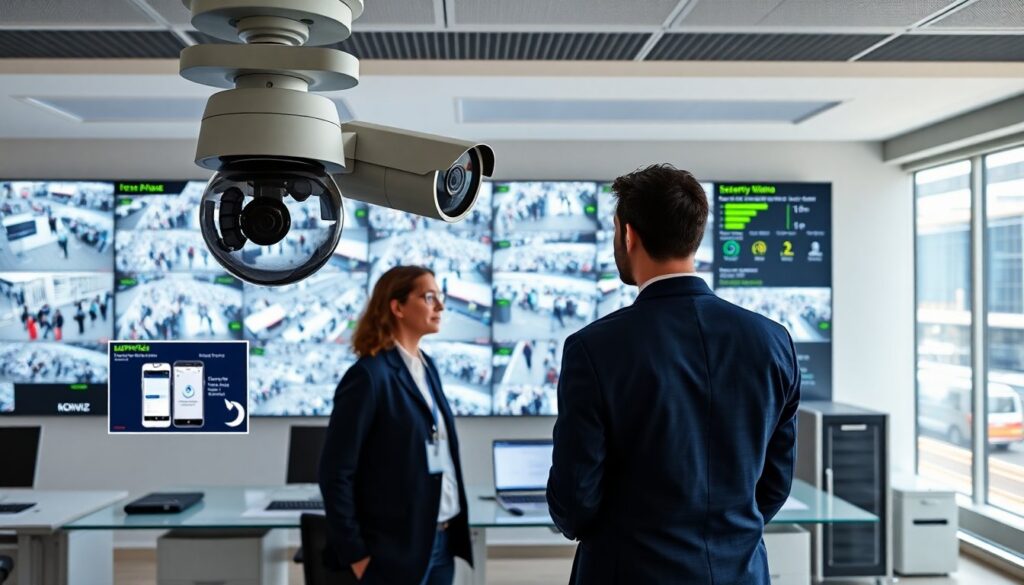

kogniz camera combines cameras, sensors, and AI to detect people and events in real time. The device flags threats, counts people, and triggers alerts. The guide explains what the kogniz camera does, how the system works, and where teams should deploy it. The text uses clear language and direct steps. Readers will learn practical uses and cost factors.
Key Takeaways
- The Kogniz camera uses AI-powered edge computing to deliver real-time detection of people and events, enhancing security and operational efficiency.
- Its versatile deployment suits various environments like retail stores, transportation hubs, warehouses, and corporate sites for crowd monitoring, safety enforcement, and access control.
- Integration options include cloud, on-premises, and managed services, allowing scalability and compatibility with existing video management systems.
- Sensors combined with AI reduce false alarms and manual review time by sending structured alerts based on confidence scores and event timestamps.
- Buyers should evaluate detection accuracy, compliance with privacy laws, and total cost of ownership including hardware, licenses, installation, and support.
- Pilot testing the Kogniz camera helps measure performance and clarify costs, ensuring the solution meets specific site requirements and operational goals.
What Is The Kogniz Camera And Who Should Use It
The kogniz camera is a smart surveillance device that combines video and edge AI. It watches scenes, analyzes frames, and sends structured alerts. The product detects motion, identifies people, and recognizes predefined actions. The system filters false triggers and reduces manual review time.
Security teams use the kogniz camera to improve response times. Facility managers use the kogniz camera to measure foot traffic and enforce access rules. Retail teams use it to spot queue backups and loss events. Transport operators use it to monitor stations and enforce safety rules.
The kogniz camera fits sites that need real-time alerts and low-latency decisions. The device fits both indoor and outdoor locations when teams pair it with suitable housings. The system works for new installations and upgrades to existing camera fleets.
IT staff can integrate the kogniz camera with existing video management systems. Vendors offer cloud and on-premises options. Small teams can use the kogniz camera as a managed service when they lack in-house AI skills. Large enterprises can scale the kogniz camera across sites and feed analytics to central dashboards.
Buyers should evaluate detection accuracy, integration options, and data retention rules. They should ask for live demos and real-world performance data. They should confirm compliance with local privacy rules before they deploy the kogniz camera.
How The System Works: AI, Sensors, And Real-Time Analytics
The kogniz camera uses edge AI models to analyze video on site. The device captures frames, runs inference, and sends only metadata or short clips to central systems. This setup lowers bandwidth use and speeds alerts.
Sensors on the kogniz camera provide motion signals and environmental context. The system can combine video input with thermal, radar, or door sensors when sites require higher certainty. The device timestamps events and attaches confidence scores to each detection.
The AI models on the kogniz camera classify people, detect falls, spot left objects, and flag crowd density. The models run continuously and update periodically. Teams can tune rules to reduce false positives and to match local conditions.
Analytics sit in two layers. Edge analytics run on the kogniz camera and produce instant alerts. Central analytics aggregate data across cameras and produce reports. Operators use dashboards to review trends, export incidents, and refine rules.
The kogniz camera supports APIs and common protocols. Teams can push alerts to dispatch systems, public-address units, or third-party incident platforms. The system logs every event so auditors can review actions and verify response times.
Deployment, Pricing Considerations, And Best Use Cases
Deployers mount the kogniz camera where lines of sight remain clear. Installers place cameras at entry points, high-traffic corridors, and key equipment zones. Teams calibrate angles and lighting to maximize detection accuracy.
Pricing for the kogniz camera depends on hardware, software licenses, and cloud storage. Vendors charge per camera for core AI features and offer subscription tiers for advanced analytics. Buyers should include installation, maintenance, and model updates in the total cost of ownership. Managed service options shift capital expense to operating expense.
The kogniz camera works well in retail stores to detect theft, measure queue times, and monitor occupancy. The device suits transportation hubs to detect crowding and to flag safety incidents. Warehouses use the kogniz camera to monitor loading docks and to count pallets. Corporate sites use the device to enforce access rules and to improve emergency response.
Teams that prioritize privacy can choose the kogniz camera configurations that send only anonymized metadata to the cloud. Legal teams should review retention policies and consent requirements. Buyers should plan pilot projects to measure detection accuracy and to estimate false-positive rates before wide rollout.
Support matters. Buyers should verify vendor SLAs, response times, and training options. They should request references from sites with similar use cases. A short pilot with the kogniz camera helps validate value and clarifies long-term costs.